Back to Blog

ERP Integrated Smart Tool Cabinets for Real Time Factory Inventory Control

September 9, 2026Admin

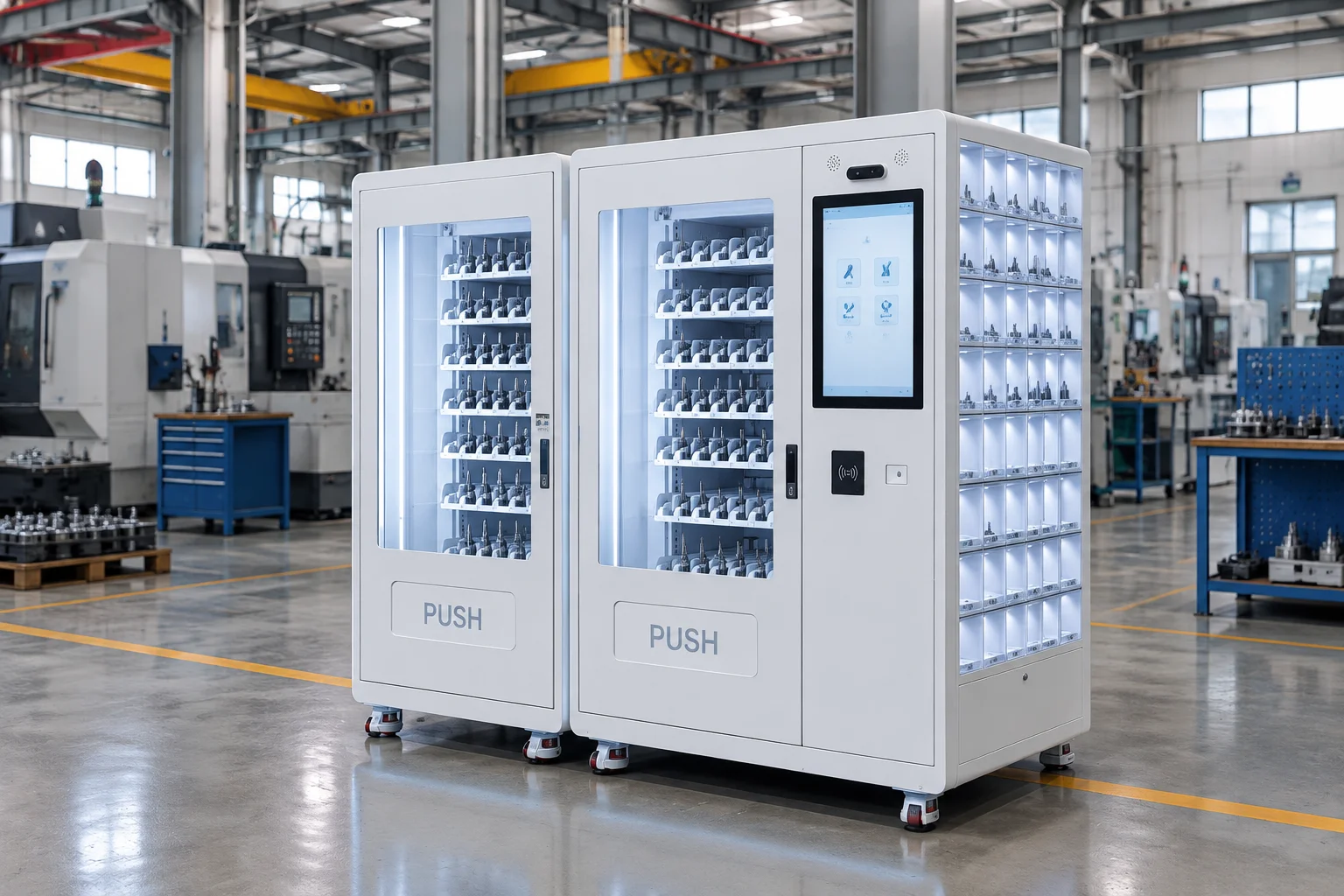
Cover image

A smart cabinet delivers more value when each issue becomes usable factory data. An employee identifies themselves, selects an authorized item and collects it. The transaction should then update inventory, attach the cost to the correct department or work order, and trigger replenishment when stock reaches its minimum level.

That workflow depends on integration. A cabinet may have strong hardware and still create manual work if its software only exports a daily spreadsheet. Buyers evaluating an ERP integrated smart tool cabinet should examine data flow, interfaces, deployment options and failure recovery as closely as storage capacity.

Define the real time transaction

Write the desired sequence before discussing APIs. A complete issue transaction normally starts with employee identification, followed by role and item authorization, product selection, physical issue confirmation, transaction recording, inventory adjustment and cost allocation. When stock falls below its threshold, the system may create a replenishment request or send data to the purchasing workflow.

This sequence helps the supplier explain which system owns each decision. HR or access control may own employee status. ERP may own item masters, cost centers and purchasing. WMS may own warehouse stock. The cabinet platform may control doors, channels and local transaction records. A clear ownership model prevents duplicated data and conflicting stock balances.

A smart factory inventory management solution should support visibility across cabinets, departments and sites while keeping individual transactions traceable. Buyers should confirm whether dashboards and reports use live records or delayed batch imports.

Require usable API and webhook documentation

An integration claim should be supported by documentation. Request the REST API specification, authentication method, webhook events, rate limits, error codes, version policy and a test environment. If an SDK is offered, confirm supported languages and maintenance status. Ask for sample payloads covering employee synchronization, item masters, permissions, issues, returns, stock changes and replenishment.

CSV, XML and JSON import or export remain useful for initialization, reporting and recovery. They should not replace a real-time interface when the business process requires an immediate ERP or WMS update. Define acceptable latency and test it during the pilot.

Standard connectors for SAP, Microsoft Dynamics, Oracle or Odoo can shorten deployment, but the buyer still needs to review the specific version, modules and data objects supported. A previous integration case is most useful when it includes an architecture diagram and a transaction flow similar to the planned project.

Connect access rules to cost data

The cabinet should identify who collected an item and why the cost belongs to a specific part of the business. Useful fields include employee, department, cost center, machine, project, work order and shift. Required fields can vary by product category. A routine glove issue may need only employee and department, while a high-value cutting tool may require a machine or work order.

For reusable assets, issue data must be paired with return status. An RFID asset tracking cabinet can help identify tagged tools and record movement, while a smart drawer tool cabinet can give gauges and fixtures assigned storage positions. The software should preserve a consistent user and cost structure across cabinet types.

Choose a deployment model deliberately

Cloud software is easier to centralize across locations, while on-premises or private-cloud deployment may be required by customer security policies. A hybrid model can keep local cabinet operation available while synchronizing approved data to central services. The proposal should state where application data, backups and logs are stored.

Request a clear software price model. Separate initial licenses, recurring subscriptions, per-device or per-user fees, API access, integration work, upgrades and support. Data ownership and export rights should be written into the commercial terms so the factory can retrieve users, items and transaction history in a usable format.

Design for outages and auditability

Network or ERP downtime should not corrupt the physical stock record. The cabinet needs a defined offline mode, secure local storage and a synchronization method that prevents duplicate transactions. Integration tests should cover delayed acknowledgements, duplicate messages, rejected records and restoration after a prolonged outage.

Audit logs should record administrative changes as well as issues and returns. Review login controls, role permissions, password policies, encryption, API credentials, software update procedures and vulnerability handling. Remote support can reduce downtime, but customer approval should control when a supplier can access the system.

Factories that manage fast-moving small items may also compare a weight based vending cabinet. Weight-based detection can simplify some replenishment tasks, but the ERP integration still needs a reliable rule for converting weight changes into item quantities and transactions.

Test the integration before acceptance

A sandbox demonstration should precede factory acceptance. Load a small set of employees, departments, items, limits and cost centers. Run successful and rejected issues, returns, minimum-stock events and offline transactions. Compare cabinet records with ERP or WMS records after each test.

The acceptance plan should name each interface, test data owner, expected result and evidence required. It should also identify which functions are standard, which require configuration and which require development. This makes the pilot budget and timeline more predictable.

For more background on the business case, the CNC tool inventory management guide explains how controlled issuing and usage records support cutting tool availability and cost analysis.

Integration questions for suppliers

Which APIs and webhooks are available today, and which require customization?

Can the system exchange data with ERP and WMS in both directions?

How are duplicate, delayed or rejected transactions handled?

Can the cabinet continue operating offline and reconcile later?

Who owns the data, and how can the customer export a complete history?

Which cloud, on-premises, private-cloud and hybrid options are supported?

Map the interface before selecting hardware

An ERP integrated cabinet project succeeds when the physical issue and the digital transaction describe the same event. Define data ownership, response times, failure recovery and acceptance evidence before finalizing cabinet quantities.

To discuss a real-time workflow, send us your integration requirements, including the target ERP or WMS, required fields, authentication policy, deployment preference and expected number of cabinets and sites.

Frequently Asked Questions

What data should a smart tool cabinet send to ERP

Common fields include employee, item, quantity, time, cabinet, department, cost center, machine, project or work order. The exact payload should follow the customer's accounting and inventory process.

Is a daily CSV file enough for integration

It may be sufficient for reporting or initialization, but it is not a substitute for real-time bidirectional integration when inventory and replenishment must update immediately.

Can smart cabinets continue working without a network

A system can support local operation if it has a designed offline mode. Buyers should test authorization, local transaction storage and conflict-free synchronization during the pilot.

Share:

Recent Posts